
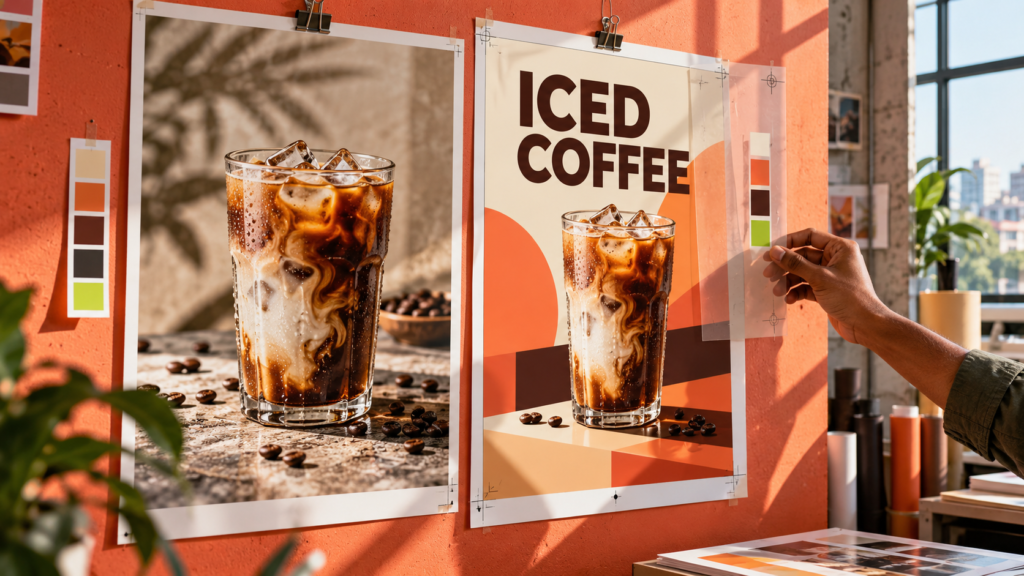
A café in Dhaka needs a poster for its new iced coffee. An AI image tool can produce a beautiful cup, background and mood in seconds. But the café still needs a correct price, a readable offer, its real logo and a version that works on a phone screen. If any of those details fail, the attractive image will not do its job.
This is the useful question for anyone learning AI Graphic Design in Bangladesh: how do you turn a fast AI image into a design that communicates clearly and can be revised when the client changes the brief?
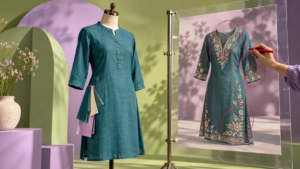
In 2026, creative tools are moving toward more control. Canva introduced Magic Layers to turn flat images into editable elements, initially in a limited regional beta. Adobe added prompt-guided editing and visual markup in Photoshop. These developments point in the same direction: the ability to refine a design matters as much as generating its first draft.
An AI image is a starting point
An image and a finished graphic serve different purposes. A generated café photograph may look impressive, but a promotional poster must answer a customer’s questions quickly: What is the offer? When is it valid? How much does it cost? What should I do next?
A designer chooses what the viewer sees first, how much text belongs on the page and whether the visual fits the brand. They also prepare versions for different uses. A social post, a website banner and a printed flyer may share one concept, but they need different layouts and careful checking.
For Bangladeshi businesses, this often includes Bangla and English copy, local contact information and prices in taka. Type the final words as editable text and proofread them yourself. Do not depend on an image generator to supply an accurate offer, logo or phone number inside a picture.
Five skills worth learning alongside AI tools
1. Writing a useful brief. A brief states the audience, purpose, offer, brand style, required information and output formats. “Make a nice poster” leaves too many decisions to chance. “Create a mobile-friendly weekend offer poster for a Dhaka café, with room for the real product photo, price and WhatsApp call to action” gives a clearer direction.
2. Visual hierarchy. Decide which element should catch the eye first. On a mobile screen, the offer or product should be clear before the viewer reads the fine details. Larger text alone is not enough; spacing, contrast and placement do the work together.
3. Typography and layout. A readable font, consistent alignment and enough empty space make an ordinary visual useful. For mixed Bangla and English layouts, check both scripts at the size people will actually see.
4. Editing and brand consistency. A brand may need the same colors, logo treatment and tone across ten assets. Learn to change backgrounds, replace elements, work with layers and keep the files editable for the next revision. Canva’s recent professional design update also emphasizes craft and control alongside AI automation.
5. Reviewing before export. Check spelling, dates, price, logo, contact details, image quality and mobile readability. Keep the working file. Export the right version for each channel after the final review.
A practical beginner workflow: design a café offer poster
Let us use a fictional Dhaka café as a practice project. The brief is simple: promote a weekend iced coffee offer on Facebook and Instagram. The café has its own cup photograph, logo and approved offer copy.
Step 1: Collect the facts
Ask for the exact product name, offer, validity period, price, logo file, brand colors and contact method. Decide where the poster will appear. These are business decisions; an AI tool should not make them up.
Step 2: Explore visual directions
Use an AI tool to brainstorm a few background or composition ideas. A prompt might say:
Suggest three visual directions for a Dhaka café’s iced coffee promotion. The audience is students and office workers. Make the mood fresh and welcoming. Leave clear space for a headline, price and call to action. Do not invent the café name, logo, offer details or any text inside the image.
If you generate a new visual, compare it with the real product photo. Use the approved photograph when a generated image would misrepresent what customers will receive.
Step 3: Build an editable layout
Place the approved photo, logo and offer copy in a design file. Canva can be a practical starting point for layout and variations. Photoshop helps when a photograph needs detailed editing; Illustrator is useful when you need vector artwork or precise brand assets. Firefly can help explore or edit visual elements. You do not need every tool on day one – learn what each is for, then choose according to the job.
Keep the headline, price and button text as separate editable elements. That makes a later price or date change much easier than trying to repair text baked into a flat image.
Step 4: Test the design on a phone
Shrink the poster to the size a customer will see in a social feed. Can you read the offer in two seconds? Is the price visible? Does the logo have enough contrast? Is the contact action clear? Ask a second person to check the Bangla and English copy before exporting.
Step 5: Save the working file and final versions
Keep an editable master and export the sizes needed for the actual channels. If the business requests a new offer next week, revise the master instead of rebuilding from a screenshot.
That process is what turns a quick AI-assisted idea into useful design work.
Which AI graphic design tools should a beginner use?
| Task | A tool to explore | What you still decide |
|---|---|---|
| Ideas and a clearer creative brief | An AI chat tool | Audience, offer and claims |
| Social graphics and editable layouts | Canva | Hierarchy, type and brand consistency |
| Detailed photograph editing | Photoshop and Firefly | Which edits look natural and accurate |
| Logos and scalable graphics | Illustrator | Shape quality and correct brand use |
Tools change quickly, and some features depend on a plan or regional rollout. Start with the design task, then choose the tool. A strong portfolio can be built by showing how you improved a brief and refined an output, not by listing software names alone.
How to practice if you are new
Choose three small projects: a local café offer, a university club event and a service business’s social post. For each one, save the brief, an early concept, the final design and a short explanation of your choices. Show how you handled a revision – for example, changing the offer date without breaking the layout.
This demonstrates more than prompt writing. It shows that you can understand a request, communicate with a specific audience and deliver a usable file. If you are a freelancer, student or marketing professional, those examples also help you explain your work to a client or interviewer.
Frequently asked questions
Can AI replace a Graphic Designer?
AI can speed up ideation and some editing tasks. A person still has to judge the brief, verify details, choose a visual direction and approve the finished work. The work changes as tools improve, so learning both design fundamentals and AI workflows is a sensible approach.
Do I need to know Photoshop before starting?
No. Begin with layout, hierarchy, typography and one accessible editing tool. Add Photoshop or Illustrator when a project needs more control. Tool access and paid features vary, so check current plans before subscribing.
Is a good AI prompt enough to create a professional poster?
It helps you start. A professional poster also needs accurate information, editable text, brand fit and testing at the size where people will see it.
The next step for Bangladesh’s new designers
AI makes it faster to explore ideas. Your value grows when you can take an idea through briefing, editing, checking and delivery. Start with one small project, make it useful for a real audience and keep a record of how you improved it.
Transfotech Global Bangladesh is preparing its AI Powered Graphics Designing program. If you would like updates about the upcoming batch, message our team on WhatsApp and mention AI Graphics Design.